Best Portable Monitor 2026: Top Picks for Laptops, Travel & Gaming
Updated 2026 | By TestBeforeYouBuy Team

Quick Summary
Portable monitors have become essential for remote workers, digital nomads, and gamers on the go. The best portable monitors offer USB-C single-cable connectivity, IPS panels with accurate colors, and weigh under 2 pounds for easy travel. Whether you need a second screen for productivity or a gaming display for your Switch or Steam Deck, this guide covers the top picks for every use case.
Affiliate Disclosure: We may earn a commission when you purchase through links on this page. This doesn't affect our recommendations - we only recommend products we've thoroughly researched and believe provide good value.
Top Portable Monitor Picks
ASUS ZenScreen MB16ACV
15.6" FHD IPS, USB-C, 780g ultra-slim, hybrid signal solution, flicker-free with eye care technology.
$162.38
InnoView 15.6" Portable Monitor
15.6" FHD IPS, USB-C & mini-HDMI, smart cover stand, great value under $150 with solid build quality.

INNOCN 15.6" OLED Portable
15.6" 4K OLED, 100% DCI-P3, 1ms response, USB-C PD, perfect for creative professionals and HDR content.
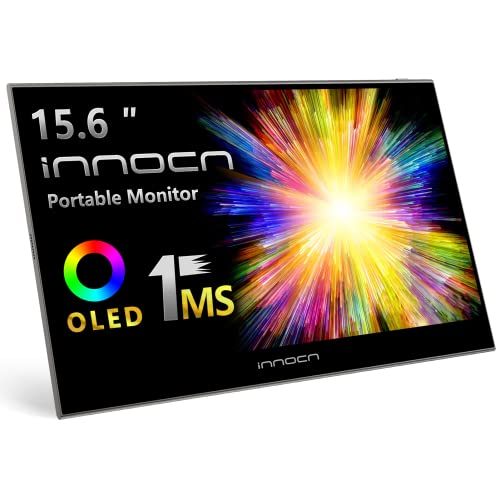
$149.99
ASUS ROG Strix XG17AHP
15.6" FHD 144Hz, built-in 7800mAh battery, G-SYNC Compatible, ideal for Steam Deck and Switch gaming.

ViewSonic TD1655 Touchscreen
15.6" FHD IPS, 10-point multitouch, USB-C, great for presentations, artists, and interactive work.

$259.99
Lenovo ThinkVision M14
14" FHD IPS, only 570g, dual USB-C pass-through, foldable tilt stand, perfect for frequent travelers.

$259.99
Why Get a Portable Monitor?
Portable monitors have exploded in popularity for good reason. Studies show that dual-monitor setups can increase productivity by up to 42%. For laptop users, a portable second screen provides the same benefit without being tied to a desk.
Key Benefits
- ✓ Productivity Boost: Keep reference documents, chat, or email visible while working in your main application
- ✓ Travel-Friendly: Modern portable monitors weigh under 2 lbs and fit in laptop bags
- ✓ Console Gaming: Play Switch, Steam Deck, or PS5 Remote Play on a bigger screen anywhere
- ✓ Single-Cable Setup: USB-C monitors get power and video from one cable
- ✓ Flexibility: Use at coffee shops, hotels, client sites, or as a desktop monitor when needed
Key Features to Consider
Size & Weight
- 13-14": Most portable, fits any bag, matches smaller laptops
- 15.6": Sweet spot, matches most laptop screens
- 17.3": Maximum screen space, less portable
- Weight: Aim for under 2 lbs (900g) for easy travel
Resolution
- 1080p FHD: Standard, sharp enough for 15.6", best battery life
- 1440p QHD: Noticeably sharper text, good middle ground
- 4K UHD: Professional work, photo/video editing, more power hungry
Connectivity
- USB-C (DP Alt Mode): Single cable for power + video - most convenient
- Mini-HDMI: Universal compatibility with any device
- USB-A Display: Works with older laptops via driver software
- Pass-through charging: Charge laptop while using monitor
Panel Type
- IPS: Best colors and viewing angles - recommended for most
- OLED: Perfect blacks, vibrant colors, premium option
- VA: Good contrast, less common in portable monitors
Best Overall: ASUS ZenScreen Series
The ASUS ZenScreen lineup remains the gold standard for portable monitors. The MB16ACV offers their hybrid signal solution that works with virtually any USB-C port, solving compatibility issues that plague cheaper monitors.
Why It's Our Top Pick
- Hybrid Signal: Works with USB-C DP Alt Mode AND USB-A via included adapter
- Build Quality: Premium aluminum construction, slim 8mm profile
- Auto-Rotate: Built-in sensor switches between portrait/landscape
- Eye Care: TUV-certified flicker-free with low blue light mode
- Smart Cover: Doubles as an adjustable stand with multiple angles
Best for: Professionals who need reliability and broad device compatibility. Works with MacBooks, Windows laptops, and even some tablets.
Best Budget: InnoView 15.6" & ARZOPA A1
You don't need to spend $300+ for a capable portable monitor. Budget options under $150 have gotten remarkably good, with decent IPS panels and reliable connectivity.
What to Expect Under $150
- 15.6" 1080p IPS: Same size and resolution as premium options
- USB-C + mini-HDMI: Good connectivity for the price
- Build Quality: Plastic instead of aluminum, slightly heavier
- Color Accuracy: Adequate for productivity, not for color-critical work
- Stand: Usually includes magnetic smart cover that works as stand
Best for: Students, casual remote workers, and anyone wanting to try a second screen without major investment.
Best 4K: INNOCN 4K OLED & ASUS ProArt
For creative professionals who need accurate colors and sharp detail on the go, 4K portable monitors with OLED panels deliver desktop-quality visuals in a portable package.
4K OLED Advantages
- Resolution: 3840x2160 provides incredibly sharp text and detail
- OLED Benefits: Perfect blacks, infinite contrast, wide color gamut
- Color Accuracy: 100% DCI-P3 coverage for video editing
- HDR Support: True HDR capability with local dimming
- Response Time: 1ms OLED response, great for video work
Best for: Photographers, video editors, and designers who need accurate colors and sharp detail for on-location work.
Best Touchscreen: ViewSonic TD1655
Touchscreen portable monitors add another dimension of interactivity, especially useful for presentations, digital art, and Windows tablet mode.
Touchscreen Use Cases
- Presentations: Navigate slides and annotate directly on screen
- Digital Art: Use with stylus for drawing and sketching
- Kiosk/POS: Interactive displays for business applications
- Windows Tablet Mode: Full touch experience on second screen
- Gaming: Touch-compatible mobile games and emulators
Best Gaming: ASUS ROG Strix XG17
Portable gaming monitors with high refresh rates have become popular for Steam Deck, Nintendo Switch, and laptop gaming on the go. The ASUS ROG Strix XG17AHP leads the pack with its built-in battery.
Gaming-Specific Features
- 144Hz Refresh: Smooth gaming well beyond 60fps
- Built-in Battery: 7800mAh powers 3+ hours of gaming without outlet
- Adaptive-Sync: G-SYNC Compatible and FreeSync support
- Low Input Lag: Essential for competitive gaming response
- HDMI Input: Direct connection to Switch dock or consoles
Best for: Steam Deck users wanting a bigger screen, Nintendo Switch players, or anyone gaming on laptops during travel.
Best Ultralight: Lenovo ThinkVision M14
For frequent flyers and digital nomads where every gram counts, the ThinkVision M14 at just 570g (1.25 lbs) is remarkably light while maintaining excellent build quality.
Why Weight Matters
- Carry-on Friendly: Easily fits in any laptop bag without adding bulk
- All-day Carry: Noticeable difference over heavier 1kg+ monitors
- Airplane Use: Light enough for tray table use
- Durability: Less weight = less momentum damage from drops
USB-C vs HDMI: Which Do You Need?
| Feature | USB-C (DP Alt Mode) | HDMI/Mini-HDMI |
|---|---|---|
| Cable Count | Single cable (power + video) | May need separate power |
| Compatibility | Modern laptops with DP over USB-C | Universal - any HDMI output |
| Console Support | Limited (Steam Deck works) | Full (Switch, PS5, Xbox) |
| Setup Speed | Instant - plug and go | Requires power connection |
Tip: Get a monitor with BOTH USB-C and HDMI inputs for maximum flexibility. Most mid-range and above models include both.
Best Use Cases for Portable Monitors
Remote Work
The most common use case. Having a second screen for Slack, email, or documentation while your main app runs on your laptop dramatically improves workflow efficiency.
Travel & Hotels
Turn any hotel room into a productive workspace. USB-C single-cable setup means minimal unpacking. Evening entertainment on a bigger screen than your laptop.
Gaming On-the-Go
Steam Deck, Nintendo Switch, and laptop gaming all benefit from a bigger screen. Look for 120Hz+ models with low input lag for the best experience.
Presentations
Use as a confidence monitor while presenting, or share your screen in small meetings without needing a projector setup.
How to Test Your Portable Monitor
Before committing to keep a portable monitor, test it thoroughly using our free tools:
Essential Tests
-
Dead Pixel Test
Check for any stuck or dead pixels on your new screen
-
Backlight Bleed Test
IPS glow and backlight bleed are common in portable monitors - test in a dark room
-
Color Accuracy Test
Verify colors match your laptop screen for consistent work
-
Screen Uniformity Test
Check for uneven brightness across the display
Essential Portable Monitor Accessories
USB-C Hub with PD
Pass-through charging while connecting multiple devices including your portable monitor.

$39.99
Monitor Carrying Case
Padded sleeve protects your portable monitor during travel.
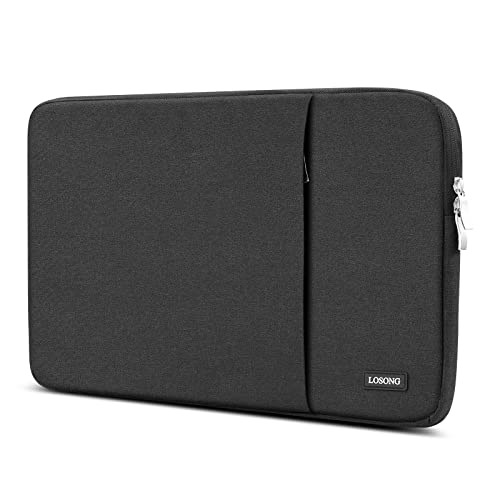
$18.94
Portable Monitor Stand
Adjustable stand for better ergonomics than built-in covers provide.

$9.99
Frequently Asked Questions
Are portable monitors worth it?
Yes, if you work remotely, travel frequently, or need a second screen for your laptop. They significantly boost productivity by giving you extra screen real estate for multitasking, and modern USB-C models are incredibly convenient with single-cable connectivity.
What size portable monitor is best?
15.6 inches is the sweet spot for most users, matching typical laptop screen sizes. For maximum portability, 13-14 inches is better. For more screen real estate, 17.3-inch models exist but sacrifice portability.
Can portable monitors be used for gaming?
Yes, many portable monitors support 120Hz or 144Hz refresh rates and have low response times suitable for gaming. Look for models with HDMI input for console gaming or USB-C/DisplayPort for PC gaming on the go.
Do portable monitors need to be plugged in?
Most USB-C portable monitors can be powered directly from your laptop through a single USB-C cable. Some models have built-in batteries for completely wireless operation. Larger or higher-brightness models may need separate power.
What should I look for in a portable monitor?
Key features: USB-C connectivity for single-cable setup, IPS panel for good viewing angles, resolution (1080p minimum, 4K for professionals), weight under 2 lbs for travel, and an included cover/stand for protection.
Will a portable monitor work with my MacBook?
Yes, most USB-C portable monitors work with MacBooks via a single USB-C cable. M1/M2/M3 MacBooks support one external display natively (M1/M2 Pro/Max/Ultra support more). Third-party DisplayLink adapters can add additional screens.
Can I use a portable monitor with Nintendo Switch?
Yes, but you need a portable monitor with HDMI input and the Switch dock. Some USB-C monitors work directly with Switch in tabletop mode using third-party dongles, but HDMI through the dock is most reliable.
Related Guides
Not Sure Which Monitor Is Right for You?
Take our quick quiz and get a personalized recommendation in under 2 minutes.